

Know When Your Agents Finish — or Need You.
AI Status shows what the AI coding agents on your Mac are doing, in the menu bar and on your iPhone and Apple Watch.
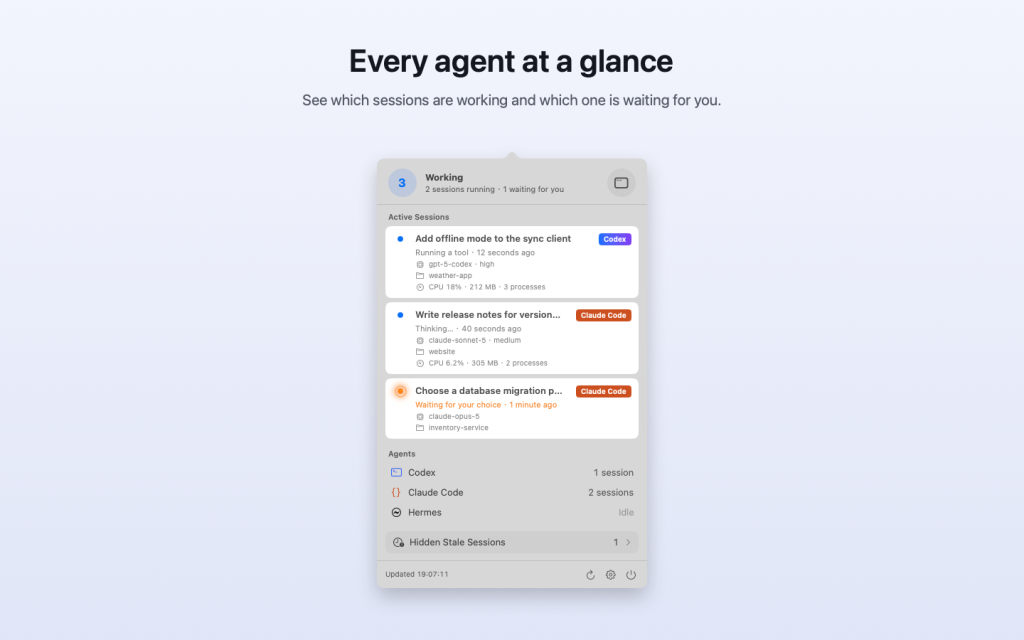
Start a long task with Codex, Claude Code, or Hermes and step away. The menu bar icon moves while agents work and shows a badge when one is waiting for your decision. Open the panel to see every active session: its name, project, what it is doing right now, model, and resource use.
Download
Version 1.0 · 3 MB · macOS 13 or later
Double-click the downloaded file if your browser hasn’t already unzipped it, drag AI Status to your Applications folder, and open it. The version from this page keeps itself up to date. The iPhone and Apple Watch apps are coming soon to the App Store.
What You Get
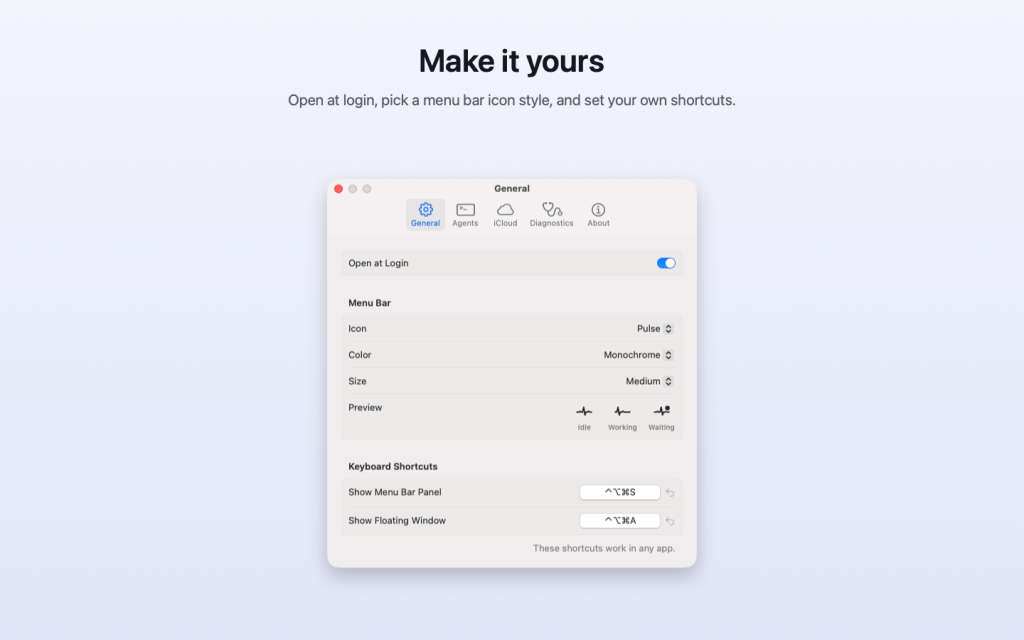
- Status in the menu bar: the icon moves while agents work and shows a badge when one is waiting for you. Choose the Pulse or Cloud icon, in color or monochrome.
- Every session at a glance: name, agent, project, current activity, model, CPU, and memory.
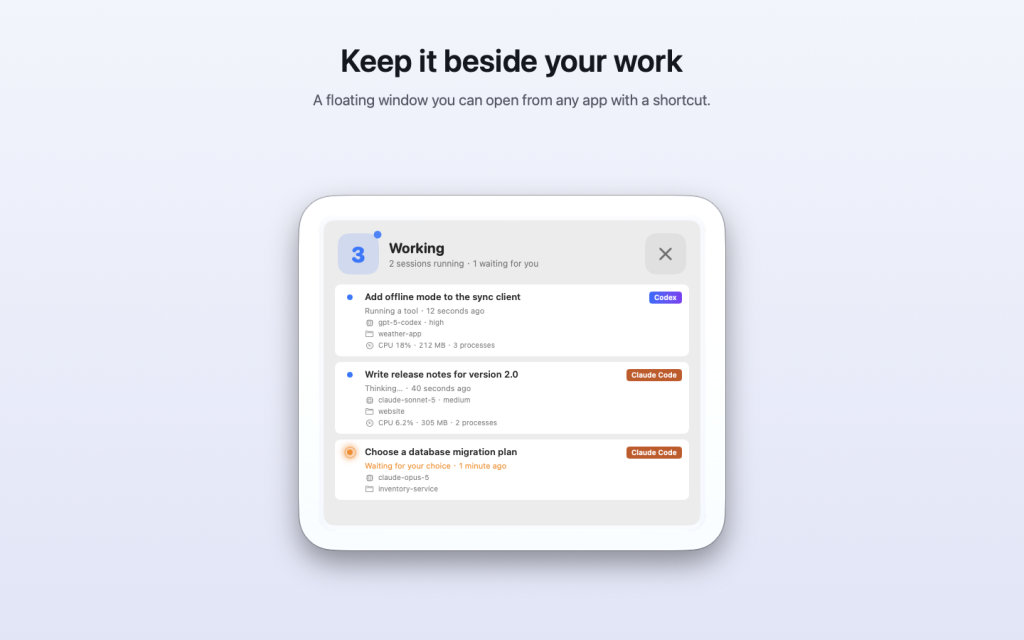
- Floating window: keep the status above your other windows, and open it from any app with a keyboard shortcut.
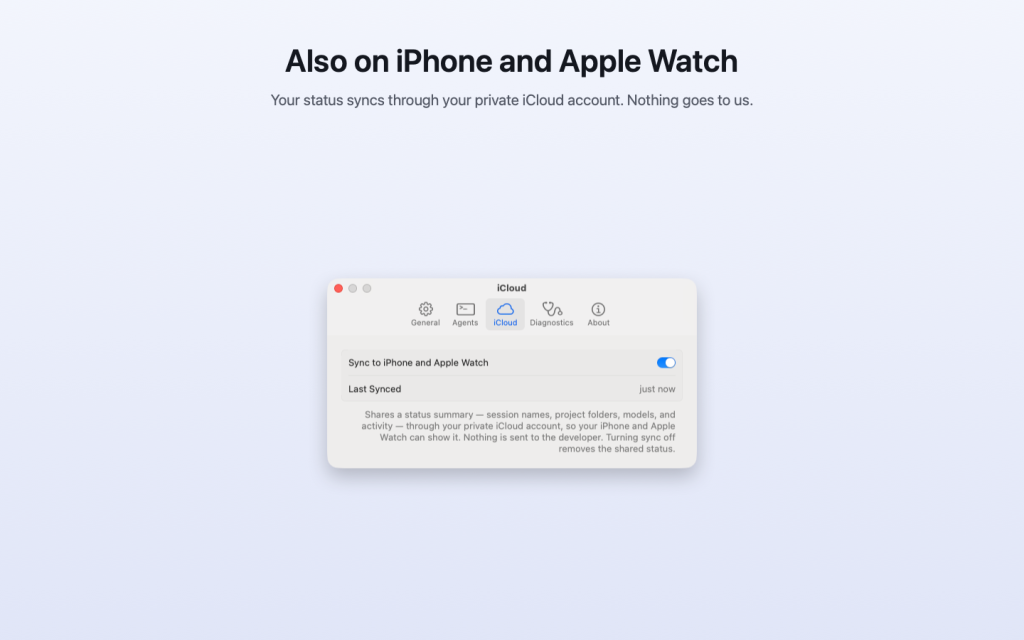
- iPhone and Apple Watch: the same status through your private iCloud account, plus a watch complication with the number of running sessions.
- Private by design: no account, and nothing about your work is sent to us. The app only reads the agents’ session files in folders you allow.
Screenshots
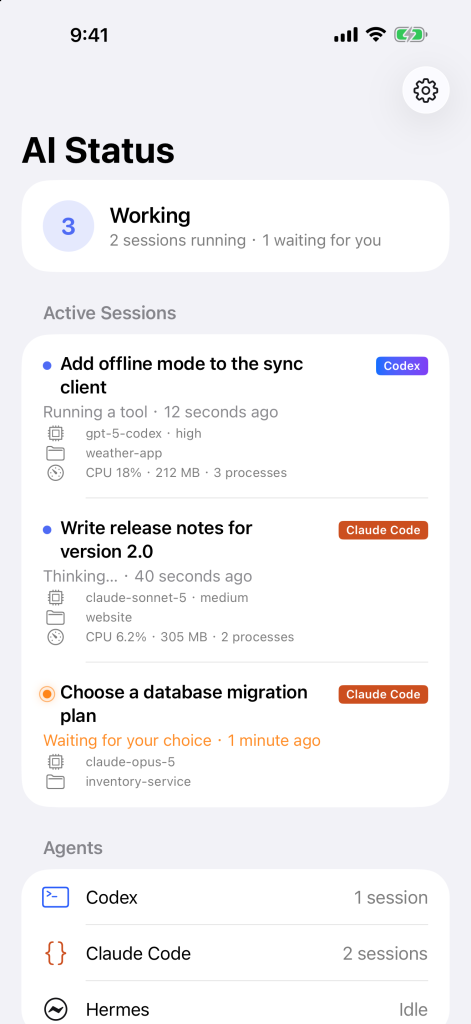
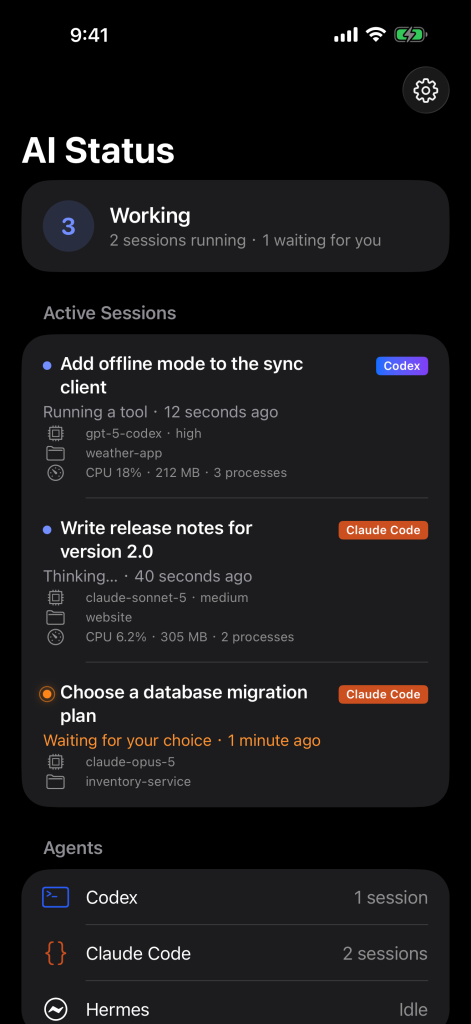
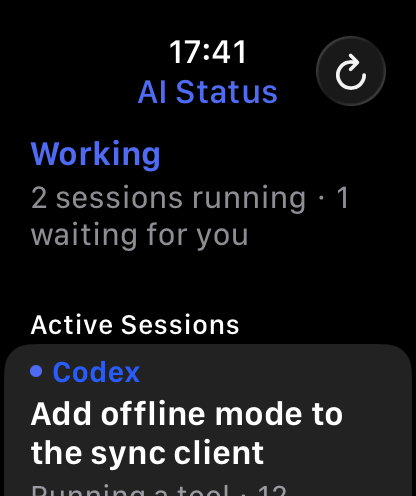
AI Status for iPhone (light and dark) and Apple Watch, coming soon to the App Store.
Supported Agents
- Codex
- Claude Code
- Hermes
Getting Started
- Download AI Status above, move it to your Applications folder, and open it.
- Allow access: in the welcome window, click “Allow Access…” next to each agent you use, then confirm in the folder window that opens. AI Status only reads these folders.
- Optional: turn on “Open at Login” in Settings › General.
- iPhone and Apple Watch: install AI Status on your iPhone (the Apple Watch app installs with it), and use the same Apple Account with iCloud on all your devices.
Help & FAQ
An agent is running, but the menu bar says Idle.
Open Settings › Agents and check that the agent is turned on and its folder shows “Allowed”. If it shows “Allow Access…”, click it and choose the folder.
My iPhone shows “No Status From Your Mac”.
Check that AI Status is running on your Mac, that iCloud sync is on (Settings › iCloud on the Mac), and that both devices use the same Apple Account with iCloud turned on.
My iPhone shows “Not Updated”.
Your Mac hasn’t sent a status recently, for example because it is asleep or AI Status quit. It updates as soon as the Mac app runs again.
What does “Hidden Stale Sessions” mean?
Sessions that stopped in the middle of a task, for example because the agent quit, and are no longer shown as running. Settings › Diagnostics › Reset Count clears the count.
Can I try AI Status without an agent?
Yes. Choose “Show Sample Data” in the Mac menu bar panel or in Settings › Diagnostics, or on the first screen of the iPhone or Apple Watch app.
Does AI Status change my files or send my code anywhere?
No. It only reads the agents’ session files on your Mac. A short status summary goes to your own iCloud account, and you can turn that off at any time.
How do I update AI Status?
The version from this page checks for updates about once a day and asks before installing one. You can also choose Settings › About › Check for Updates…. Versions from the App Store update through the App Store.
System & Languages
- System requirements: macOS 13 or later; iPhone with iOS 17 or later; Apple Watch with watchOS 10 or later
- Interface language: English
Support & Legal
For support and privacy information related to App Store distribution, please use the links below.
- Support contact: Roobooto K.K., Osaka, Japan, hi@roobooto.jp
- Privacy Policy: AI Status Privacy
When you contact us, please include your Mac model, macOS version, app version, and a short description of the issue.
Additional Notes
AI Status is designed and published by Roobooto K.K. Codex, Claude Code, and Hermes are trademarks of their respective owners. AI Status is not affiliated with OpenAI, Anthropic, or the makers of the agents it monitors.